


Motion Creative Strategy Bootcamp
The 8-week live training and private community designed to help you succeed as a top creative strategist.
Week 5 Homework - Build your first Motion report
- Build a top-performing ads report in Motion using the critical performance metrics and AI tags that we learned from Evan Lee in the live class. Then immerse yourself in those ads, deconstruct them, and find the key levers for what makes them click.
- On a single slide, collect 3 of those ads, 1-2 creative patterns you found, and how those patterns will inform your next creative batch. Here’s an example from one of our campaigns.
Once you're done, post your slide and your “independent analytical take” in #homework-week-5 in Slack. Watch Ed’s video above for an in-depth guide. ⬆️
Companion resources to help
- Evan’s deck from the live event - tons of extra details and ways to explore your ad account data using Motion
- (Video) Setting up your Motion organization - how to connect a Meta profile and sync your ad account data into Motion
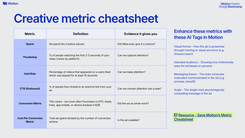
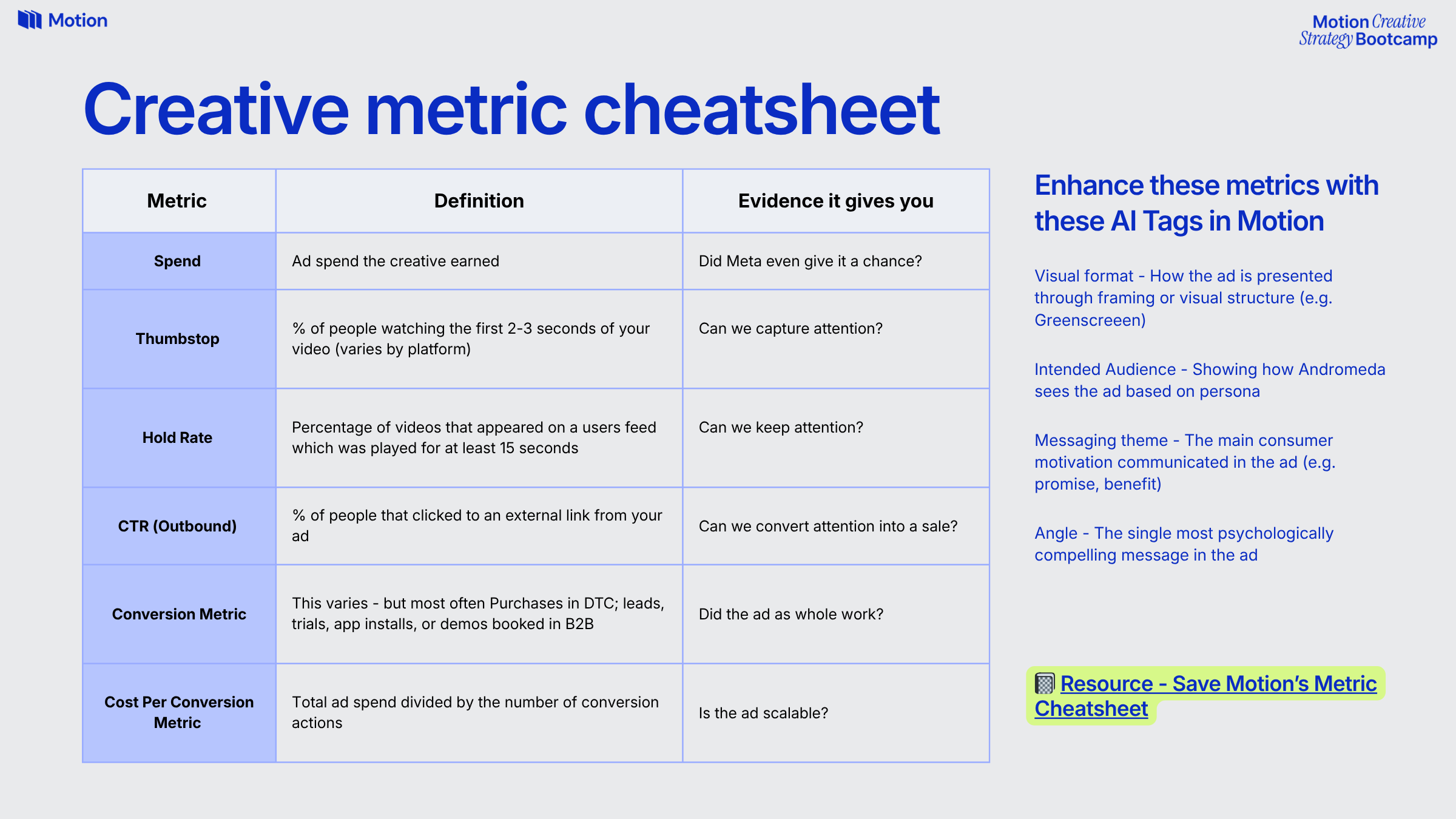
- Creative metric cheatsheet
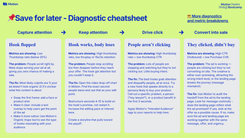
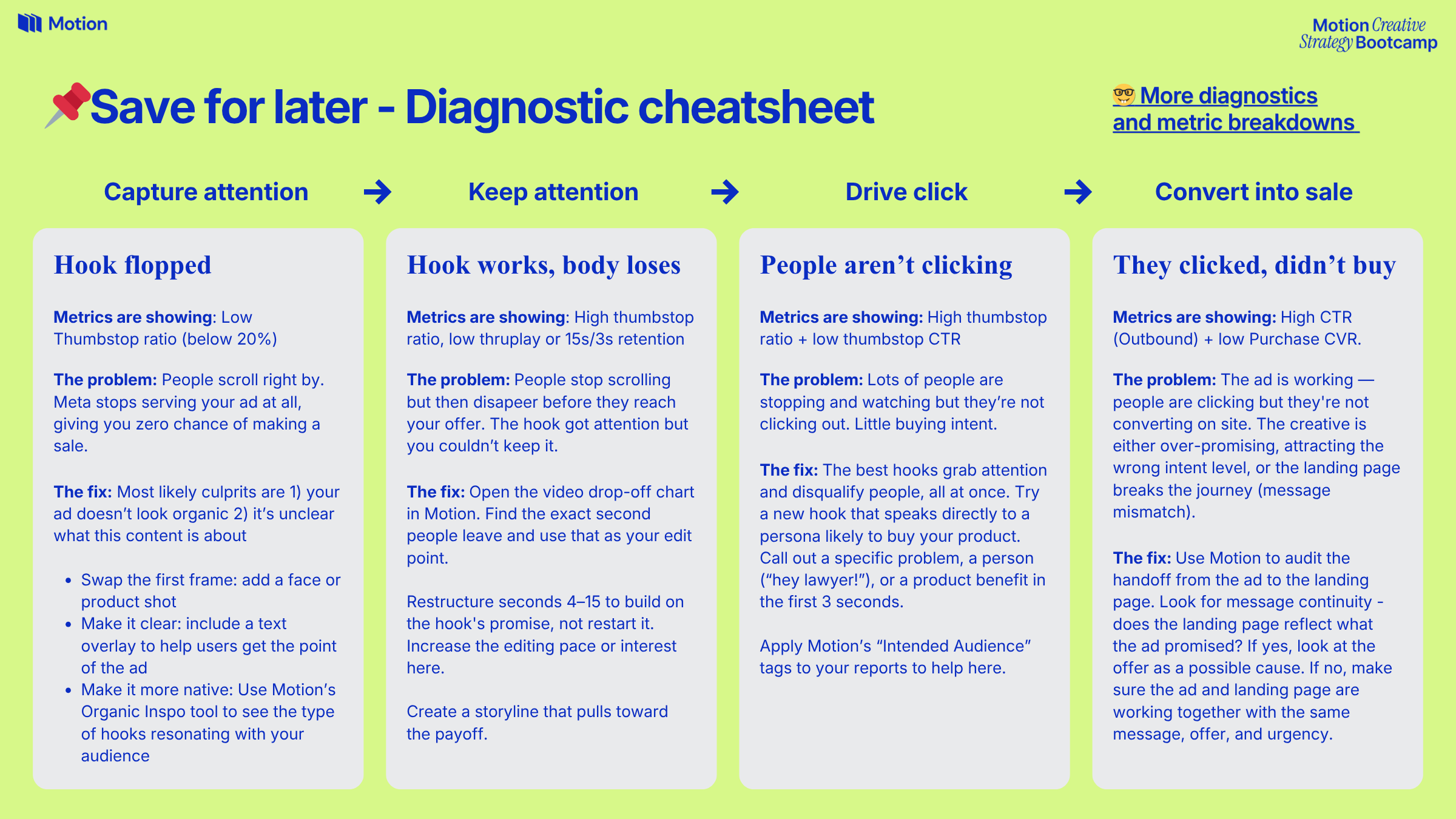
- Creative diagnostic cheatsheet
- Week 5 Homework - Template Slide
- Sample Reports (if you don’t have an ad account):
- To watch the live class again, check your email for the replay link. Tip: If you added the class to your calendar, just click on the link in your calendar. It will automatically open the recording.
Full instructions and extra tips
Make sure to watch the video above for every step of creating your report in Motion.
We’ve gone deep on researching, prioritizing, and creating ads. Now we have to evaluate them using the best evidence available: real ad account data.
Top creative strategists obsess over winning ads. They study them. Break them down into understandable patterns + insights. And use those to make their next creative batch stronger, over and over again.
Our skill focus this week: developing an analytical opinion on why specific creatives performed well, using ad account data.
In Week 3, Dara covered outlined how past performance is the #1 source of evidence for prioritizing creative ideas (a lot better than vibes).
BUT we need to go deeper than sorting our ad reporting data by spend + conversion metrics.
We have to live and breathe our creative just like our audiences (visual, audio, pacing, narrative, and who it’s speaking to), break down the core elements, and find the top patterns across multiple ads to keep building on.
Step 1: Create a top performing ads report in Motion
Heads up, you need a connected Meta ad account (data source) to do this. If you haven’t yet, here’s a guide.
If you don’t have an ad account, use the sample reports above.
Step 2: Apply filters + set date range
We’re focusing on video ads here, so add a filter to your report for Ad type is video.
Most teams have a spend threshold to consider an ad as having “meaningful” spend behind it (it helps avoid skewing your reporting with outlier metrics). A filter for Spend > $250 is a good starting point, depending on the size of your ad account you might use a higher or lower threshold.
Optional: You can filter by ad name or campaign name if you want to look at a subset of your creative, too.
Step 3: Add metrics and AI tags
Use the creative metric cheatsheet for the metrics you want to add and the AI tags that will help find patterns.
Remember to customize your conversion metric (purchase, demo booked, form submission, etc.) and cost per conversion metric based on how your team operates.
Step 4: Immerse yourself, deconstruct your ads, and find the key levers
Now it’s time to build our independent perspective, beyond what reporting shows as effective within our ad account.
Yes, we could click the “spot patterns in winners” button for Runneth’s analysis, or we could just rank these ads and say “great I know which ones worked. Got it”.
That’s not really going to help you know what’s converting. You need to study the details of these ads and flex your creative strategist muscles.
First: watch the ads manually, pay close attention to the details in the hook. Pause and reflect on the first 3-5 seconds. Go into the performance details to see where people are dropping off and try to figure out exactly WHY.
Next, breakdown the different elements you’re seeing: how does the ad start? Is there a face in the beginning? What does the first frame look like? What is the emotional tone of the intro? We're trying to isolate the variables that make a winner.
Finally, we’re zooming out (slightly) to find the universal lessons that we can apply to future ads. Your AI tags will be helpful here to find the patterns combined with your deep look at the ads.
This ^ is what you’ll put in your slide - the critical things you need to remember for your next batch of creatives.
Bonus: Once you’ve come up with those creative patterns, try talking to Runneth about what it’s seeing, gut checking your instincts and getting a broader perspective.
Step 5: Build your slide + share in Slack
Grab this slide template and make a copy for yourself (remember to make it viewable for anyone with the link).
Download 3 ads that informed your opinion and add them to the slide. Then list the 1-2 patterns you noticed, and 1 clear next step from what you learned. Keep it brief! If you can’t say it in a couple sentences, you probably don’t have a clear enough opinion yet.
Post your slide in #homework-week-5 in the Slack Community with your ‘analytical opinion’. Hot takes are welcome!
Here’s an example from a campaign Motion’s creative strategy team recapped for the whole company.